


FocusDock | The Desk Companion for Deep Work
FocusDock | The Desk Companion for Deep Work
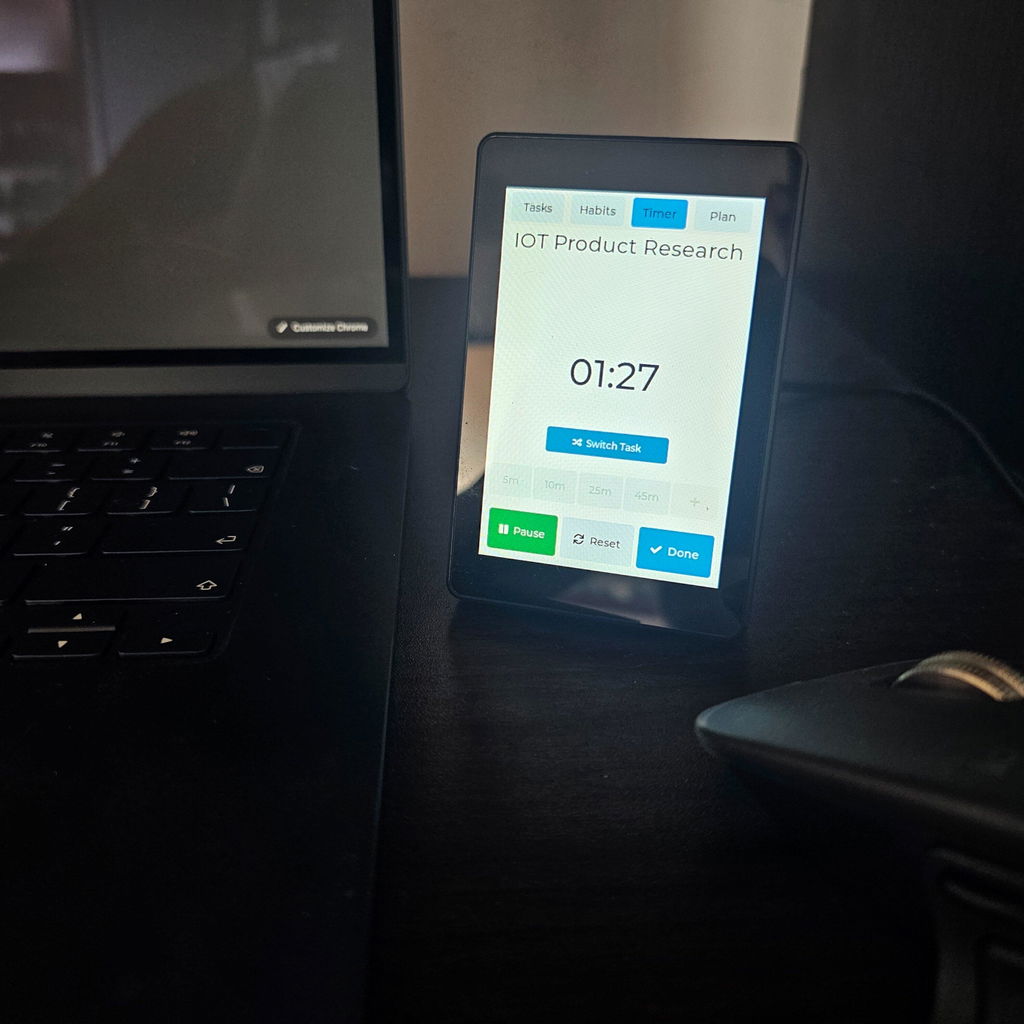
FocusDock combines your task list, timer and daily habits into one distraction-free device.
- Stop checking your phone just to check your tasks.
- Your next task. Nothing else.
- The desk companion that keeps you focused.
- A to-do list that doesn't distract you
Why FocusDock™
Why FocusDock™
Most productivity tools live on the same devices that constantly interrupt you. FocusDock™ brings your tasks, habits, and timer onto a dedicated display that stays visible throughout your workday—helping you stay focused without the pull of notifications or endless tabs.
Designed to help you focus
- Dedicated Task Display – Always see what to work on next without unlocking your phone or switching browser tabs.
- Built for Deep Work – Track your time, complete tasks, and build better habits from one distraction-free workspace companion.
- Quick & Simple Setup – No apps, accounts, or subscriptions. Connect from any phone or computer over your local Wi-Fi network to plan your day in seconds.
- Designed for Modern Workspaces – A clean, minimalist design with Light and Dark themes that complements any desk setup.
How It Works
How It Works
From planning to deep focus in three simple steps.
1. Plan Your Day
Create tasks, subtasks, and daily habits directly on the touchscreen or from your phone or computer using the built-in local web portal.
2. Put Distractions Away
Once your day is planned, put your phone aside and close unnecessary tabs. Your priorities stay visible on your desk—not hidden behind another screen.
3. Stay in Flow
Start a focus session, track your time, complete tasks, and build momentum throughout your day with one dedicated workspace companion.
Technical Specifications
Technical Specifications
Display: 3.5-inch high-contrast LCD touchscreen
Task Capacity: Up to 20 tasks (5 tasks per page)
Subtasks: Up to 5 subtasks per task
Habits: Track up to 12 daily habits
Time Tracking: Built-in focus timer with task-based tracking
Connection: Local Wi-Fi portal compatible with iPhone, Android, Windows, Mac, Linux, and tablets
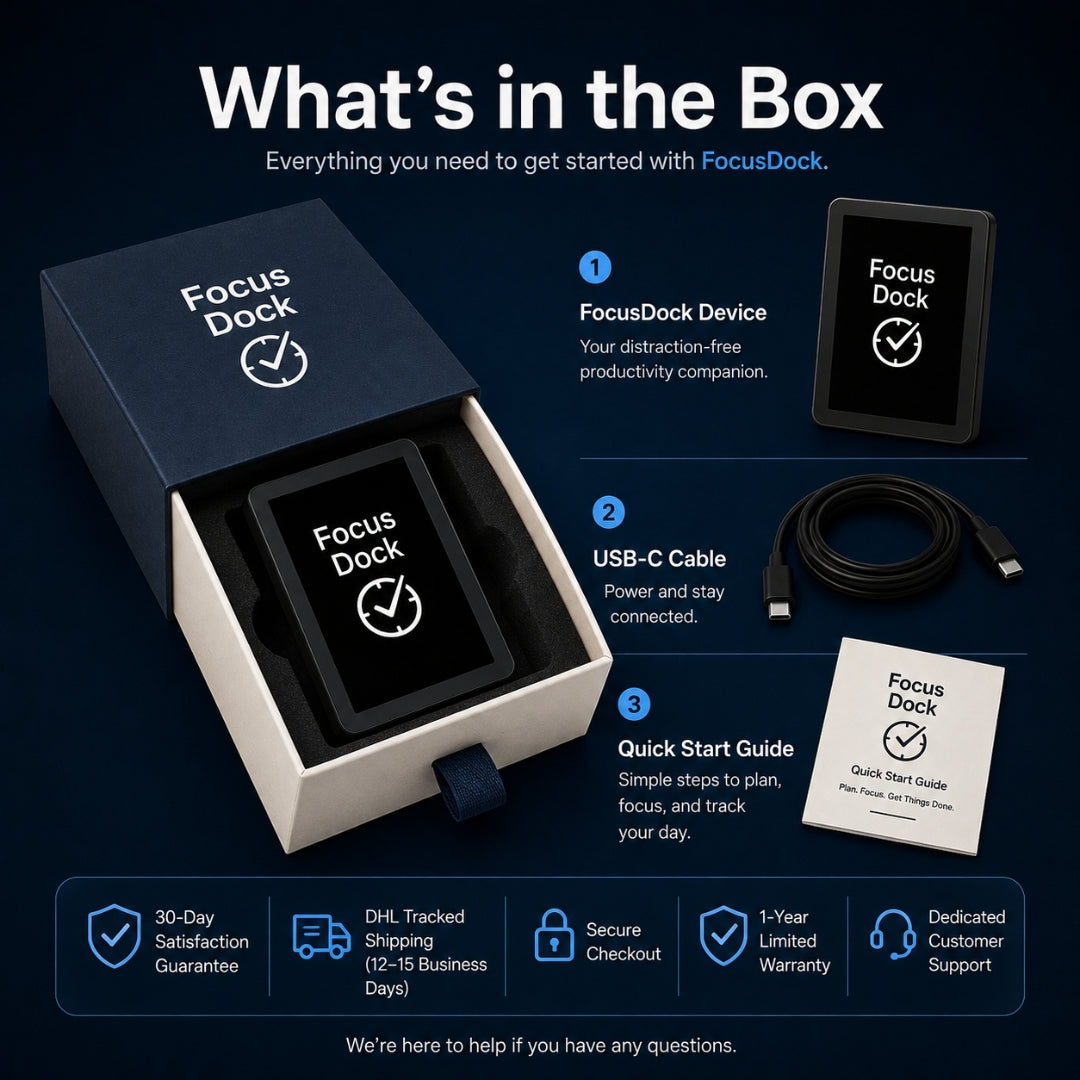
Power: USB-C powered for continuous desktop use
Themes: Light and Dark modes
Quality Guarantee & Shipping
Quality Guarantee & Shipping
Every FocusDock™ is carefully assembled, individually tested, and quality inspected before it ships to ensure it arrives ready for your workspace.
Buy with confidence:
- 30-Day Satisfaction Guarantee
- 1-Year Limited Warranty
- DHL Tracked Shipping with delivery in 12–15 business days
- Secure Checkout with trusted payment providers
- Responsive Customer Support before and after your purchase
We're committed to delivering not just a great product, but a great experience. If you ever need assistance, our team is here to help every step of the way.
Couldn't load pickup availability


Try Focus Dock right here
This is the real interface. Tap a task, start a timer, add a habit with the on-screen keyboard — exactly how it feels on your desk.
Tap a task to see the action menu ↑